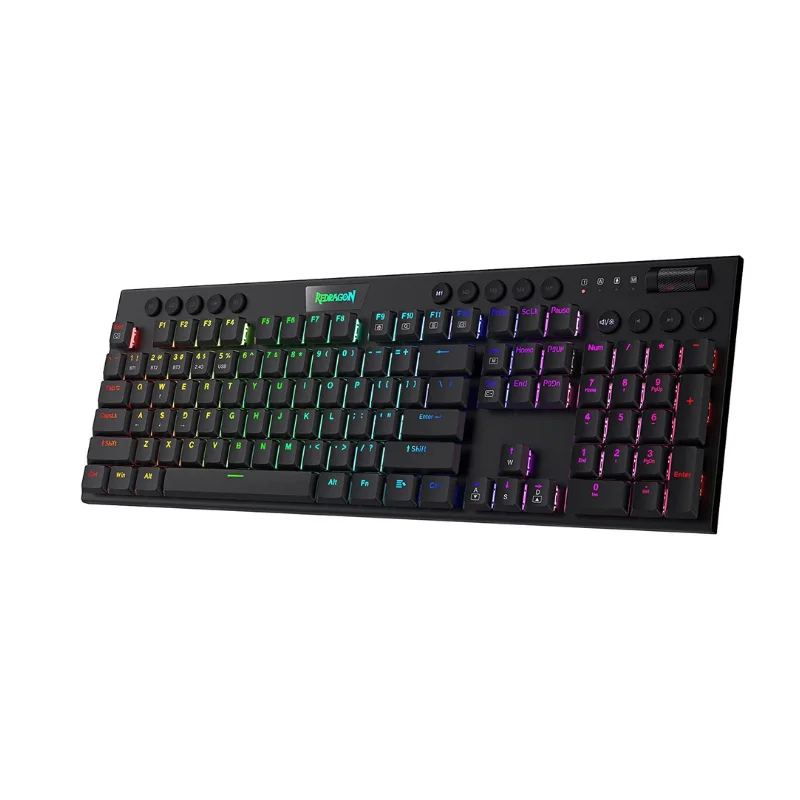
For many professionals, writers, and gamers, the keyboard is the most important interface in their daily life. Transitioning to professional-grade mechanical keyboards offers a tactile, responsive, and highly durable typing experience that standard membranes simply cannot match. Each key switch is engineered with its own dedicated mechanism, providing satisfying feedback and improved accuracy that significantly increases your typing speed and overall comfort. These tools are built to last for millions of keystrokes, making them a wise investment for anyone who spends long hours at their desk. Whether you prefer a clicky, tactile response or a smooth, linear feel, the ability to customize your typing environment is a major advantage. By focusing on build quality and switch type, you create a setup that is not only highly efficient but also physically satisfying, reducing fatigue and making every email, report, or gaming session feel deliberate and precise.
Understanding Switch Types and Customization
When you are ready to upgrade your hardware, understanding the mechanics of key switches will help you select the setup that best suits your needs:
- Tactile Switches: These provide a noticeable bump when the key is pressed, making them an excellent choice for typists who want confirmation that their input has been registered.
- Linear Switches: Featuring a smooth, uniform movement from start to finish, these are often preferred by gamers for their speed and quiet operation during fast-paced play.
- Clicky Switches: These offer both a tactile bump and an audible “click,” providing a satisfying, typewriter-like sound that many power users love for its rhythmic feedback.
- Build Material and Layout: Look for a sturdy frame—ideally with an aluminum plate—that prevents the board from flexing during heavy typing sessions, ensuring stability on your desk.
Caring for Your Typing Hardware
Regular Keycap Maintenance
Keycaps can accumulate oils and dust over time. Periodically removing them for a gentle wash with mild soap helps maintain the original matte texture and prevents the keys from becoming slippery during long work sessions.
Preventing Debris Buildup
The space between keys can trap debris. Using a compressed air canister or a dedicated keyboard brush to clean the board once a month protects the internal switch mechanisms and ensures consistent performance throughout the lifetime of the unit.
Your input device is the bridge between your thoughts and your work. By switching to high-quality mechanical keyboards, you ensure that your setup is optimized for both speed and longevity, providing a highly tactile, professional, and satisfying foundation for everything you create at your desk.